Search This Blog
Wednesday, November 24, 2010
How to Share your Windows Desktop's optical drive with your Macbook AIR
Well, I came across this issue because I wanted to try to install my Starcraft 2 game on my Macbook Air to see how it plays on a MAC. I called up Richard Lee of ICenter Cebu and he introduced me to this idea of sharing my Windows PC's optical drive to my Macbook Air.
You need to install a file on your PC. Richard told me that this is on the DVD that came with my Air, problem was, it didn't come with a DVD, only a USB reinstall Stick.
Quickly googled it and I found it. It is actually very simple.
1.) Download and install this file from the apple site and install it on your Windows PC.
2.) Go to Windows Control Panel and look for "DVD or CD Sharing Options"
3.) Enable it.
Thats it! Now, any disc you put on those drives can be access through the MAC Laptop via your "Macintosh HD/Finder" where you will see your PC's name under the REMOTE DISC Device.
Currently installing Starcaft II now.
Who need's an external Optical Drive? :-)
Enjoy!! :-)
Macbook AIR 11" Unboxing- With 13" Size Comparison
Indeed this is a sexy 11 incher, small light and handy, if that were my only requirement then I would have gotten it right away. I needed a little more power from a laptop, hence, the 13" incher for my personal use.
Tech this out!
Music Dissappears when you upgrade your iphone to OS 4.2.1- Solution!
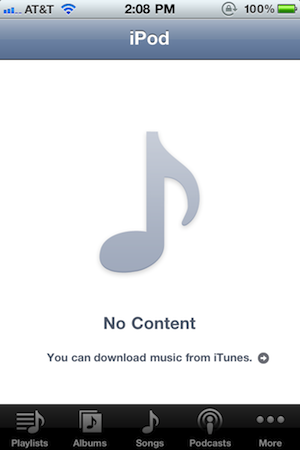
If your music has disappeared after updating to iOS 4.2.1, there is an easy fix.
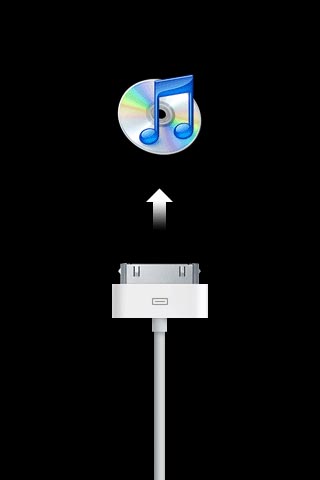
Users in the Apple Discussion forums have found that if you plug your iPhone into the computer, open iTunes and play a song from on your device, then sync, the music will magically reappear.
Give it a try!
Source: Tech Crunch
Iphone Users: Read this if you plan to upgrade to IOS 4.2.1 and want to Jailbreak or UNLOCK.
It seems that Apple has decided to put a baseband requirement on iOS. So at this point, if you are using Saurik’s server or tiny umbrella and trying to restore 4.2.1 on an iPhone 4, you will end up in recovery mode and tiny umbrella will not be able to pull you out of recovery. In this case, you will have to restore 4.1 again or you will have to restore 4.2.1 stock and be tether jailbroken. (Of course, I recommend 4.1 and not bothering with 4.2.1 at all). If you are an unlocker, this is a no brainer. Do not update to 4.2.1 even to test it at this point.
More info here
Tuesday, November 23, 2010
Techisland Webxclusive Unboxing of the 13.3" Macbook Air 2010
Wednesday, November 17, 2010
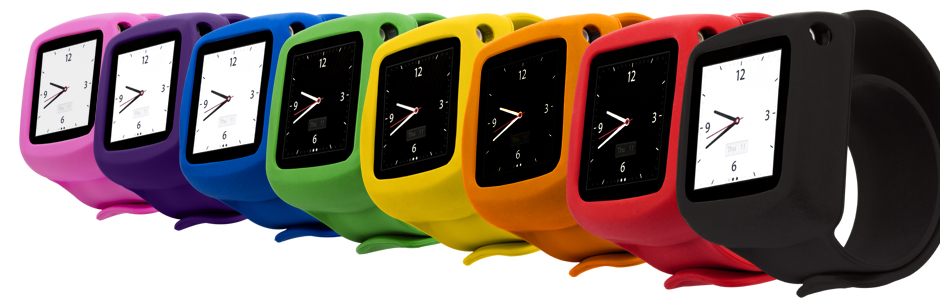
Griffin SLAP wristband watch for IPAD nano 6th GEN!!!
Yeah!! Finally. It is Out!!!! I will most likely get one for Christmas!
It's metal (slap!). It's silicone (slap!). It's metal and it's silicone...
Remember the slap bracelet? Remember how much fun it was? We've brought it back.We've wrapped a memory-metal wristband with soft silky silicone. Slap's flexible, spring-steel band lies flat and rigid until you slap! it onto your arm. Snap Slap open, then snap Slap shut around your wrist. (Say that 10 times real fast.) The Slap band self-adjusts to a comfortable fit, exactly your size.
For your iPod, we've equipped Slap with a generous frame of silicone that holds your iPod securely and shrugs off bumps and jolts. Slap protects the dock connector and volume controls but leaves the headphone port open so you can plug in and listen any time. Speaking of time, you can press the Sleep/Wake button through the frame to check the time or control iTunes. The watch face display of your iPod nano turns Slap into a fun, handy classic timepiece.
Your iPod nano plus our Slap wristband case — together they create the most useful and entertaining wristwatch your arm has ever seen.
Features
- Flexible spring-steel band wrapped in soft silicone snaps securely around your wrist to keep your iPod nano close at hand
- Thick silicone frame protects your Multi-Touch display, volume controls and dock connector
- Frame covers the volume and sleep/wake buttons with protective silicone but still allows touch-through control of your iPod nano
Here is the website link:
http://www.griffintechnology.com/products/slap/
Friday, November 12, 2010
Thinking Tools Inauguration and Blessing
GeoTagged, [N10.31224, W123.91949]
Congratulations to Thinking Tools for opening their Latest Branch at the SM Cyberzone, SM Cebu. Thinking Tools is one of the oldest PC retails shops in Cebu, a pioneer in the industry providing the Cebuano's with the right iT products at an affordable price!
Subscribe to:
Posts (Atom)